THTeka HubModern business management
AboutFeaturesPricingCustom quote
Create account
Features

A complete platform to sell, control, and grow your business.

Teka Hub connects the web back office and Android POS application in one environment. Each company enables the modules that match its operations, team, and organization.

Create accountView pricing
Web + POS
One continuous workflow
Offline
Sales continue without a network
Role-based
Each user sees relevant actions

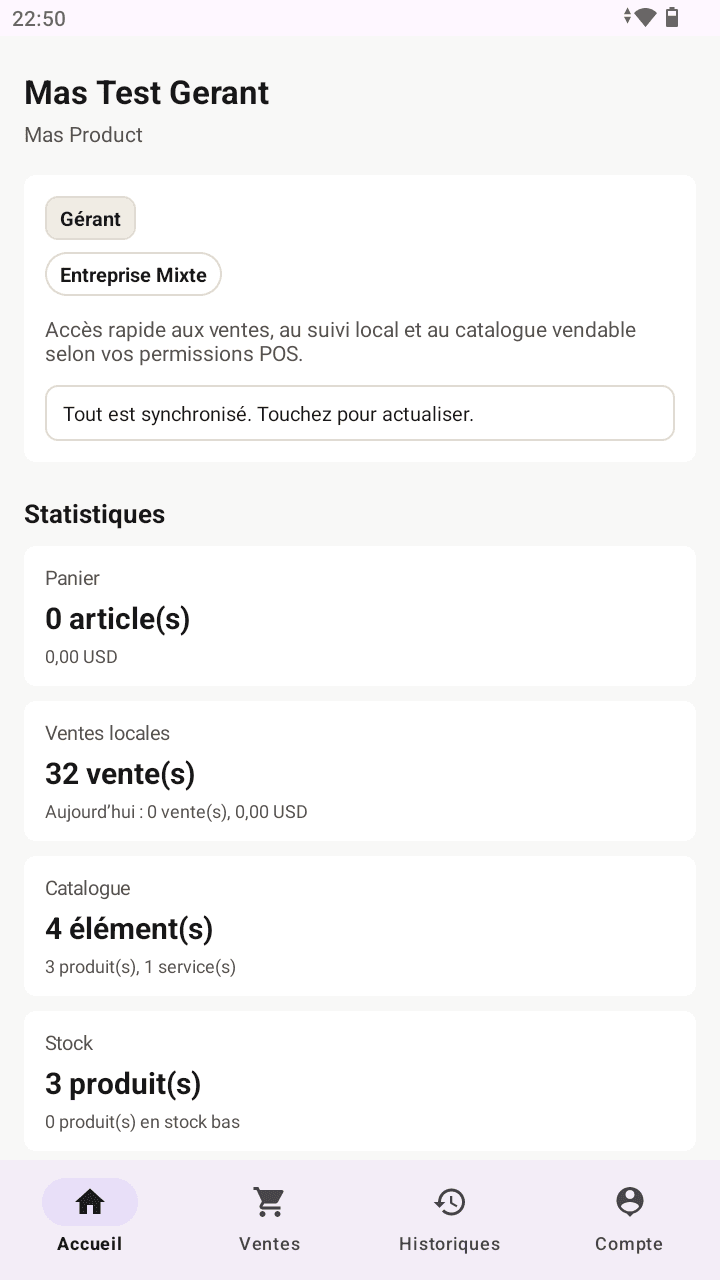
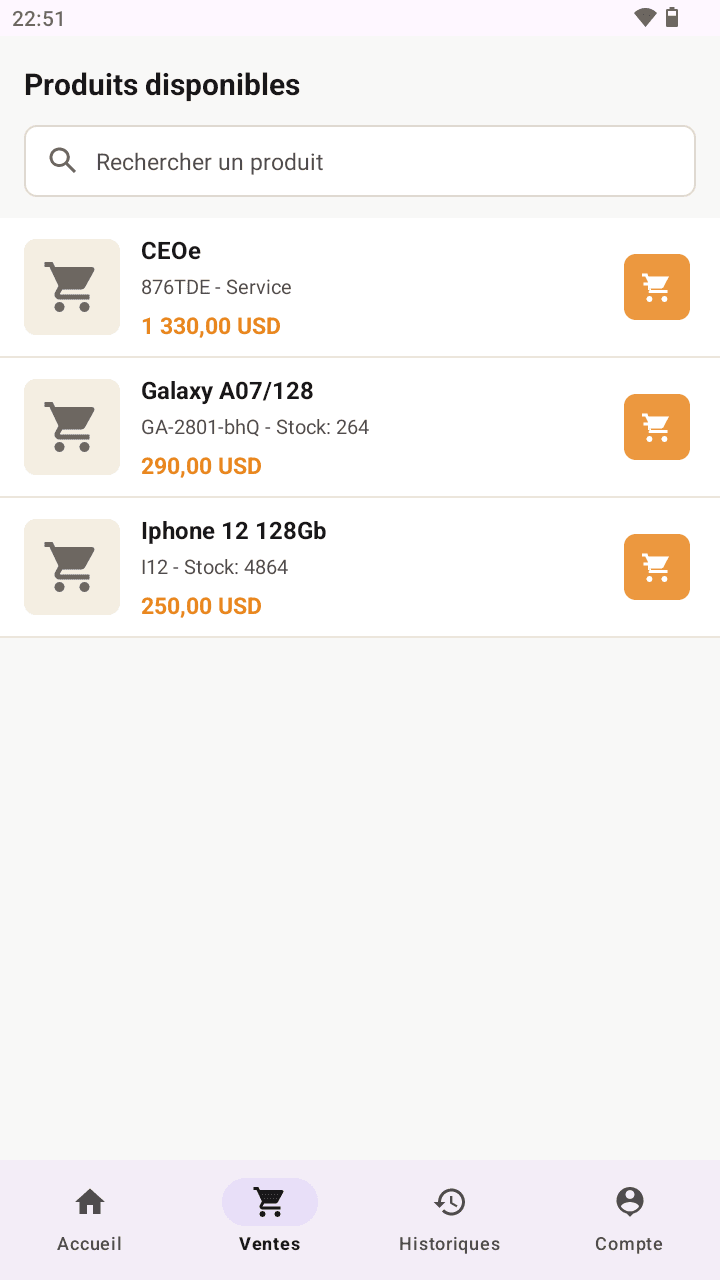
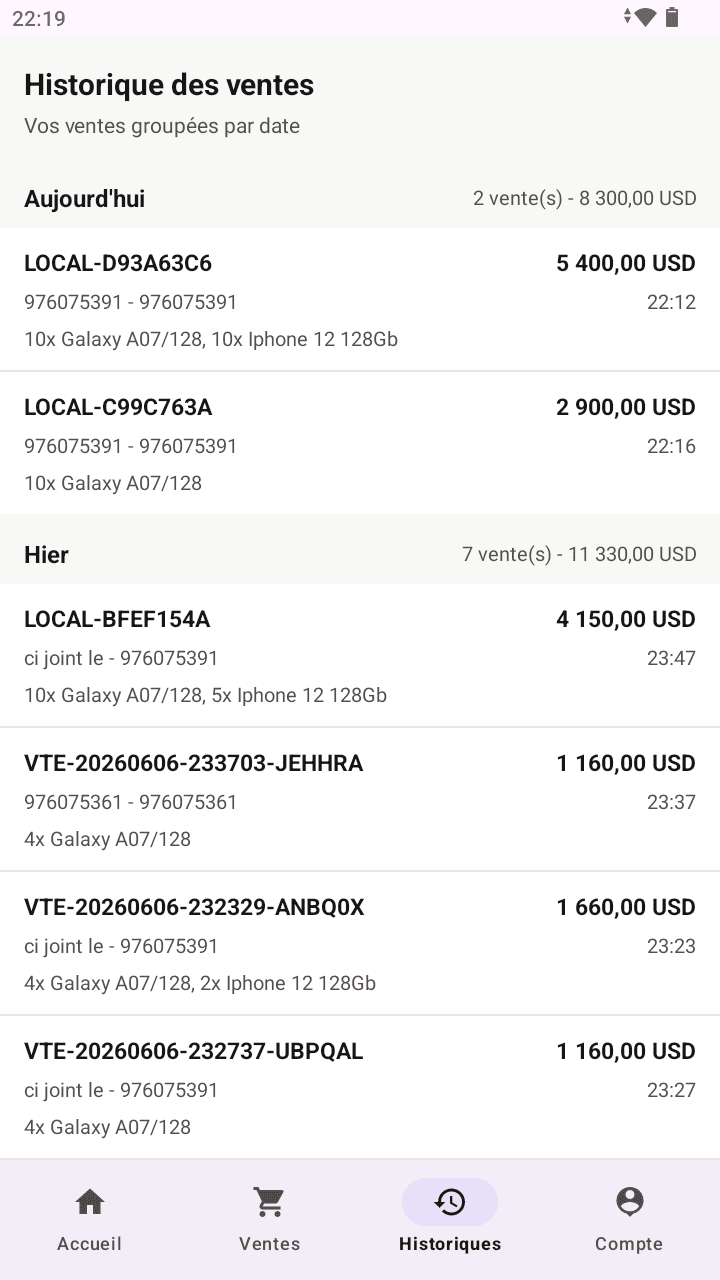
Daily work, from checkout to management

The POS keeps field operations fast while the web centralizes data, settings, and controls.

Daily work, from checkout to management 1
Daily work, from checkout to management 2
Daily work, from checkout to management 3

Product and service sales

A checkout workflow for product, service, or mixed companies.

  • Searchable sellable catalog, cart, quantities, and live pricing.
  • Optional customer, initial payment, amount received, and change due.
  • Company and item VAT, tax-inclusive prices, item discounts, and manual discounts.
  • Loyalty point redemption with minimum, cap, and immediate discount.
  • Detailed history, 80 mm thermal receipts, PDF, and reprinting.

Offline Android POS

Checkout keeps working when connectivity becomes slow or unavailable.

  • Useful products, stock, customers, and history stored locally.
  • Sales and operations saved on the device before synchronization.
  • Automatic synchronization when the network returns, with manual retry.
  • Immediate local stock updates without double deduction after sync.
  • Integrated printing on supported terminals and controlled APK updates.

Product and service catalog

Separate records for what is sold, with fields suited to each item type.

  • Products, services, categories, and a primary image.
  • Sale, purchase, and wholesale prices, margin, and discounts.
  • SKU, barcode, batch, expiration date, and sensitive item tracking.
  • Item-level VAT according to company settings.
  • Creation, details, editing, deletion, and paginated search.

Stock and inventory

Clear stock visibility by location and user responsibility.

  • Global, branch, or warehouse stock.
  • Quantity aggregation to prevent duplicate product-location stock.
  • Entries, exits, adjustments, movements, and transfers.
  • Location inventory with counting, variances, validation, and final adjustment.
  • Automatic branch restriction for assigned users.

Customers and loyalty

Actionable customer tracking at checkout and across relationship workflows.

  • Customer records with duplicate detection by phone or email.
  • Optional birthday and contact lists.
  • Loyalty earning, redemption, balance, and point movements.
  • Loyalty discounts visible on sales and supported documents.
  • Personalized email using company SMTP settings, queues, and history.

Purchases and financial tracking

Flows surrounding sales remain connected to the same business data.

  • Supplier purchases and stock reception.
  • Suppliers, expenses, and daily reports by user.
  • Deposits, partial payments, and outstanding balances.
  • Credit and Mobile Money operations when their modules are active.
  • Company currency with consistent calculations across screens and documents.

Organization and access control

Each team member works within the scope defined by role and assignment.

  • Branches, warehouses, users, and operational assignments.
  • Owner, manager, supervisor, cashier, seller, and specialized roles.
  • Module permissions and locally computed POS shortcuts.
  • Company currency, timezone, VAT, and sales behavior settings.
  • Subscriptions, plan limits, and progressive module activation.

Dashboards and reports

Company and personal views that support decisions using real operations.

  • Daily overview of sales and expenses for the signed-in user.
  • Detailed printable daily POS report.
  • Statistics by product, service, category, and seller.
  • Filtered and paginated history without distorting global totals.
  • Business, stock, customer, and sales performance indicators.

An offline sale remains a real sale

The POS does not simulate success. It stores the sale, customer, quantities, and pending sync operation locally before confirming the action.

1. Local recording

The sale, history, and local stock are updated together on the device.

2. Continuous work

Users review their data and continue operating without connectivity.

3. Synchronization

When the network returns, operations are sent idempotently and reconciled with the server.

The same foundation, adapted to your business

Product company

Catalog, purchases, suppliers, stock, warehouses, inventory, codes, and expiration dates.

Service company

Services, sale prices, customers, service sales, and statistics without irrelevant stock fields.

Mixed company

Products and services in one space with adapted workflows and labels.

Some features depend on the subscribed plan, company type, enabled modules, and the permissions granted to each user.

Build a Teka Hub workspace that matches how you operate.

Start with essential modules or request a setup for multiple branches, teams, or points of sale.

Create accountRequest a quote
Teka Hub

A web and POS platform for sales, products, services, customers, stock, and useful company modules.

Discover

AboutFeaturesPricingCustom quote

Contact

Application TekaHub+243 896 524 395Privacy
© 2026 Teka Hub